Potty Patterns
UI/UX Designer
Date
December 15 2025-February 26 2026
Potty Patterns is a caregiver iOS app designed to help track and predict bathroom habits for neurodivergent children. This app was designed to create a simple, supportive tool that reduces stress while improving routine consistency.
Tools Used:
Figma, Xcode, SwiftUI, Procreate
Case Study
This project was inspired by personal experience, where I recognized a gap in tools that were both simple and supportive. Many existing solutions felt overwhelming or lacked meaningful insights.
I set out to design an app that reduces stress, improves consistency, and helps caregivers feel more confident in their daily routines.
Caregivers of neurodivergent children often struggle with inconsistent bathroom routines. Without clear patterns, accidents can be frequent, leading to stress for both the caregiver and child.
Existing solutions focus on basic tracking, but lack meaningful insights or predictive support.
Challenges
Goals
Design an intuitive, low effort tracking system that helps caregivers:
Log bathroom activity quickly
Identify patterns in behavior
Predict optimal times for bathroom use
Reduce cognitive load during already busy routines
User Persona

Ashley Johnson
32
Mother
Customer Service Representative
Cleveland, OH
Suburbs
Challenges
Ashley is a full-time working mom caring for her young child, who is currently in the process of potty training. Her child is neurodivergent, and non-verbal. This makes routines and transitions more challenging and less predictable. Ashley manages a busy schedule while trying to stay consistent with her child’s development and daily needs.
User Research
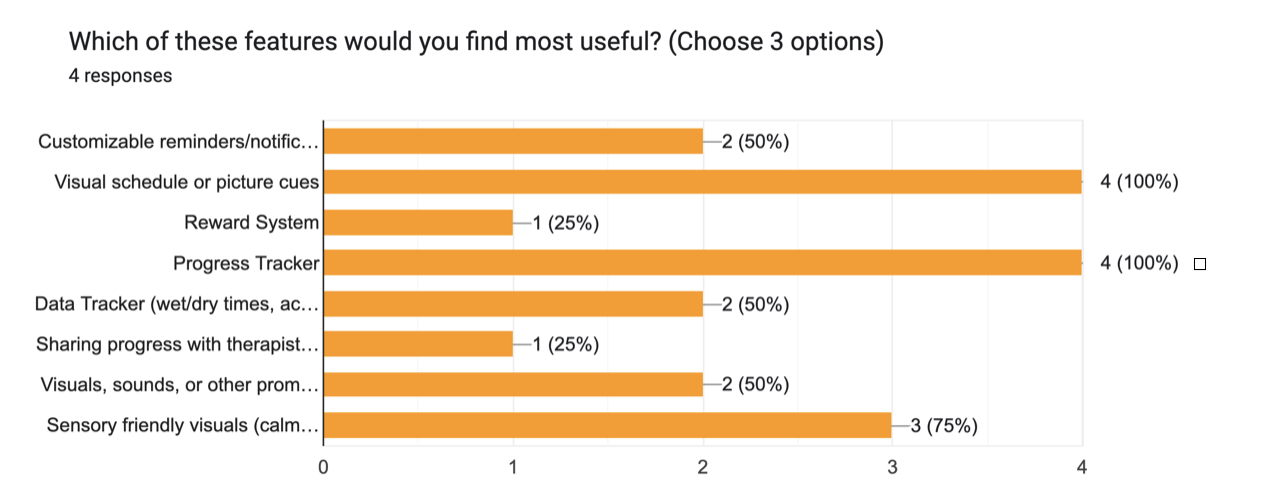
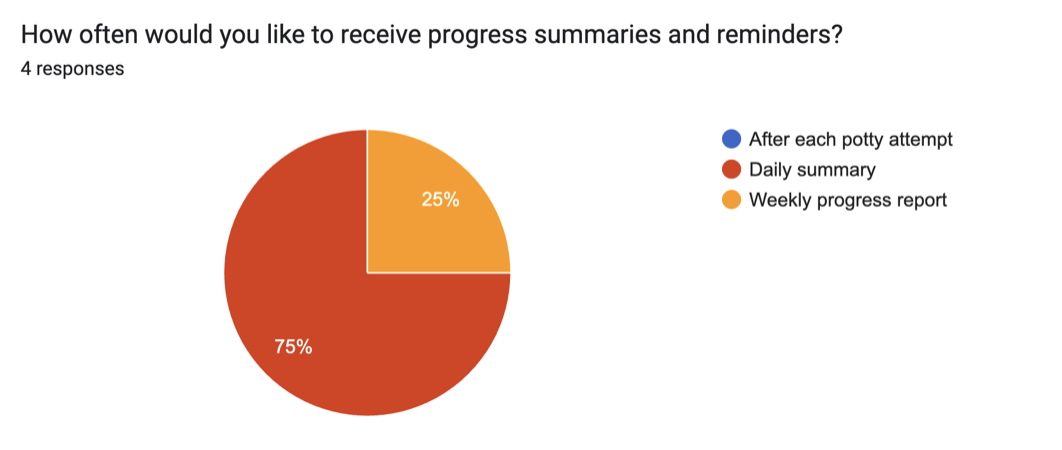
I conducted research using informal interviews and surveys based on caregiver’s experiences with potty training neurodivergent children.
I was able to identify common frustrations around consistency, tracking, and understanding patterns over time.
Goals
Understand how caregivers currently track potty training progress.
Identify common challenges in maintaining consistency and routines.
Explore how caregivers interpret patterns and behaviors.
Discover opportunities to simplify and support the tracking process.
Key Findings
Children respond best to predictable routines.
Tracking is often abandoned if it feels overwhelming.
Simplicity is critical. Caregivers don’t have time for complex flows.
Visual clarity reduces stress and improves consistency with tracking.
Offering progress summaries and reminders will help caregiver track more efficiently.
A supportive tone is just as important as functionality.
Wireframe
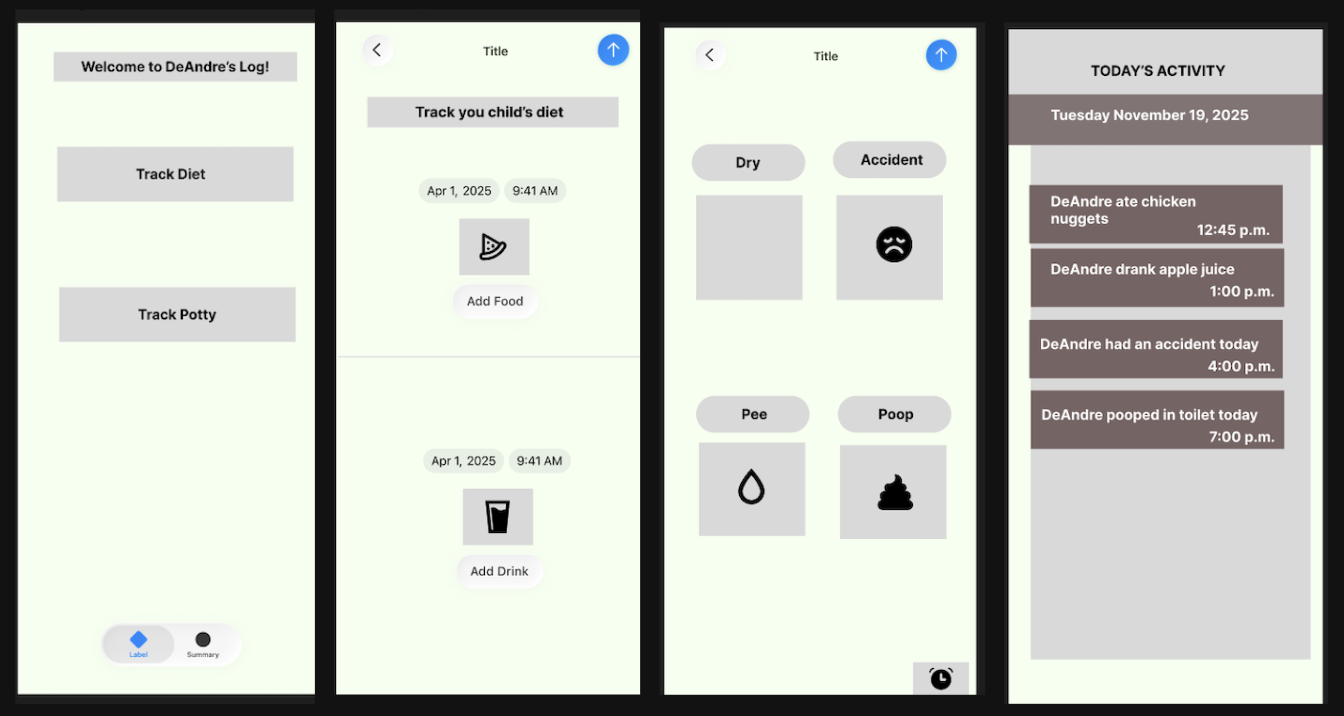
For the wireframe, I organized the app into four screens.
Activity Screen (Home): Entry point with clear actions
Food Log Screen: Tracks meals and drinks with timestamps
Potty Log Screen: Logs bathroom activity with simple selections
Summary Screen: Display daily activity in a structured timeline
High Fidelity
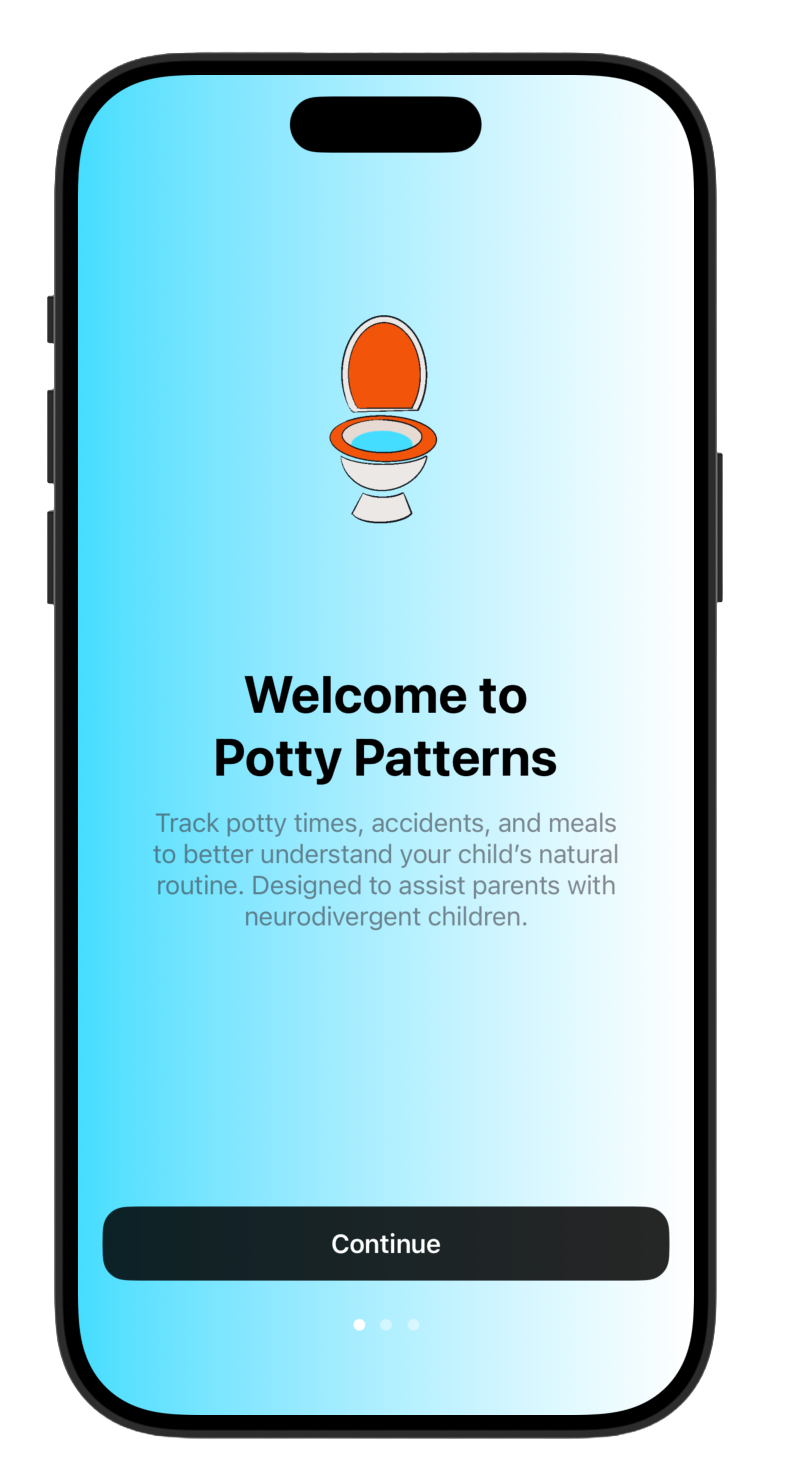
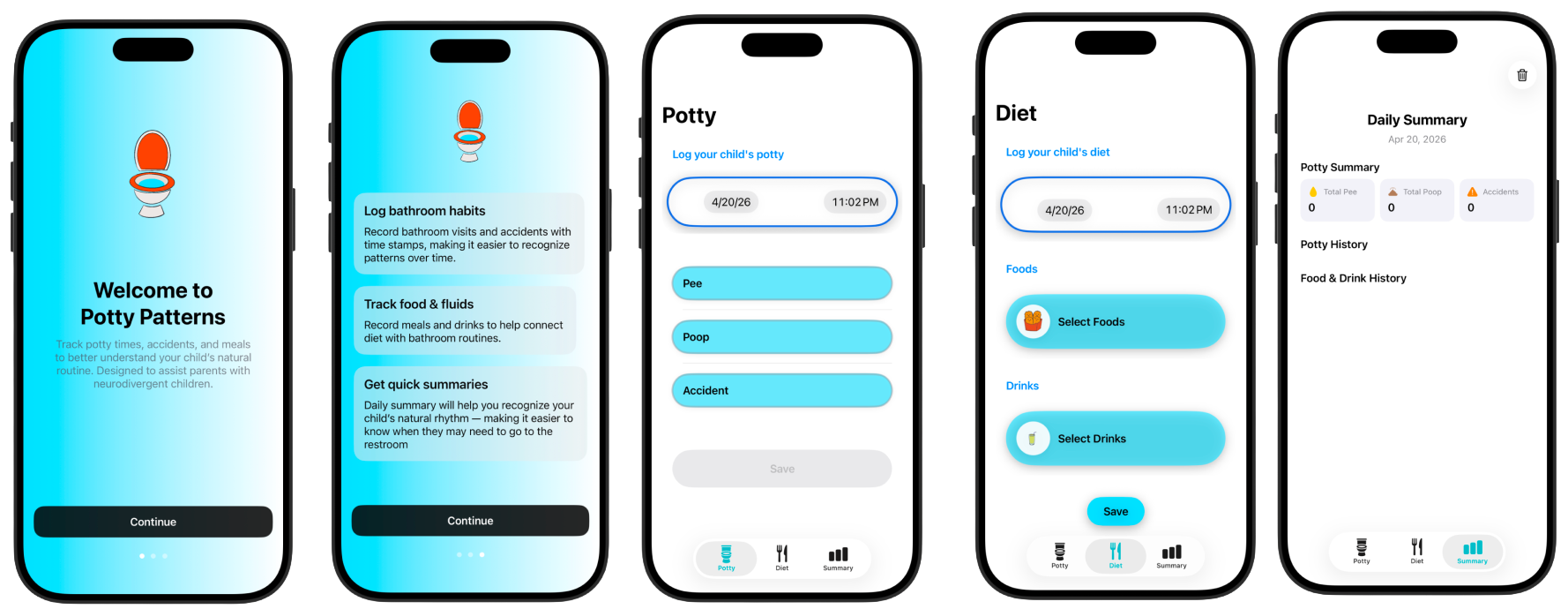
Onboarding Screen
Immediately communicate the app’s value by explaining what it does and how it support caregivers eliminating confusion.
Calm and supportive language and design.
Strong “call to action” with continue button and progress indicators guiding users in a clear linear flow.
Food Log Screen
Organized sections (Food and Drink)
Add custom food and drink to drop down menu
Timestamp visibility
Built in calendar
Clear action buttons with icons
Accessibility & Usability
Large tap targets
Clear icon + label pairing
High contrast between text and background
Simple, readable typography
Potty Log Screen
Quick and efficient data entry.
Drop down date and time.
Large accessible touch targets with clear labeled full-width buttons.
Simple three button vertical layout
Clear action feedback and flow with large save button at the bottom of the screen.
Summary Log Screen
Daily summary screen that provides caregivers with a brief snap shot of potty training data.
Organized information into simple card views with icons and and labels.
Clean interface with soft vibrant colors and white space for a minimal UI.
Bottom navigation bar allows users to easily switch between multiple screens.
Personalized Profile:
Name, age, and preference
Individual tracking histories
Personalized routines and patterns
Personal profiles ensure that tracking and insights remain accurate, relevant, and tailored to the individual child.
Advanced Progress Tracker:
Real-time synching of logs.
Consistent tracking across caregivers.
Improved communication between support systems.
Many children are supported by a team. Enabling collaboration ensures consistency in routines and reduces gaps in tracking.
Future Features
Multiple Caregiver Access:
Real time synching of logs
Consistent tracking across caregivers
Improved communication between support systems
Enabling collaboration ensures consistency in routines and reduces gaps in tracking.
AI-Powered Insights
Pattern recognition (e.g., “Most accidents occur 30-60 minutes after juice intake.”)
Suggested routines (e.g., “Try a bathroom break after lunch.”)
Gentile, supportive language tailored to caregivers
Many parents may not have direct access to behavioral specialists. AI-powered insights can help bridge the gap by providing guidance that feels approachable, actionable, and personalized.